You may wish to amend your Provider Details during the life of your case. You can submit this request as a standalone Amendment. This means you can change your Provider Details independently from any other type of amendment.
To Amend Provider Details search for the case required and you will have the option to select the link at the bottom of the Available Actions section of the Case Overview screen.
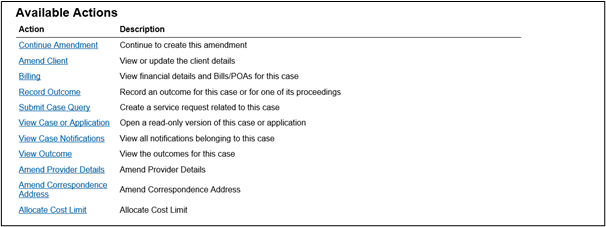
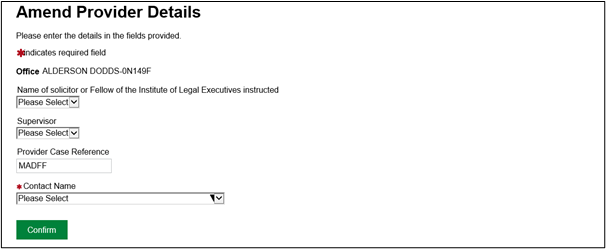
You can now change any of the above fields required. Once you have changed the fields required click the Confirm button to submit the request.
NOTE: This process is automated and will not require any action from a caseworker.
Making sure you receive any new correspondence
To ensure you receive any new correspondence issued on a case, you will need to amend the Contact Name on the case to your new SILAS account.
If you do not do this, you will not receive any new correspondence.
IMPORTANT: When you select the contact name from the drop-down list, you must choose your SILAS account. If an old user account is chosen, you will not receive any new actions and notifications.