CCMS Chambers Users: Introduction to CCMS
Once you have been registered to Sign in to legal aid services (SiLAS), navigate to the online portal by following this address:
https://laa-sign-in.external-identity.service.justice.gov.uk/.
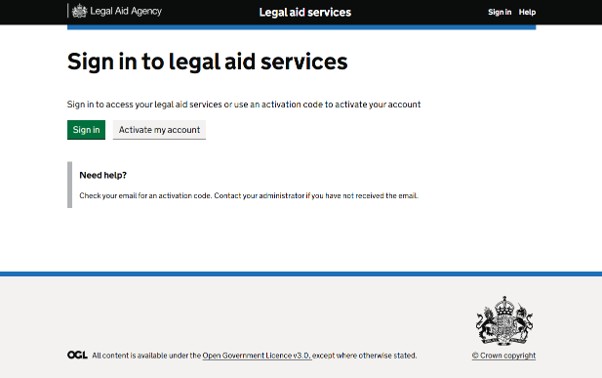
Click on Sign in within Sign in to legal aid services, on the left of the homepage.
NOTE: For any Sign in to legal aid services (SiLAS) account support, please view the guidance located under the Online Support tab of Legal Aid Learning website.
For online account queries, email: LAAUserRegistration@justice.gov.uk.

Click the LAA logo to return to this screen from any screen within CCMS.
Click the Logout link to log off from CCMS.
Click Create Request to send the LAA a non-case/non-application related query.
Click New Application to initiate an application (applies to providers only).
Click Your Actions and Notifications on the main black navigation bar to access actions and notifications or the actions and notifications links at left centre of the homepage.
To search for cases and applications use the Cases or Applications link on the main black navigation bar.
After searching for the case you can select it from the search result, which will take you to an overview of the case. Under ‘Available Actions’ at the bottom of the screen, you will be able to click on ‘Billing’ and will be presented with all the available billing options for the case. There is more information on billing in the ‘Submit Bill’ and ‘Submit POA’ guidance.