Search for a case (Back to top)
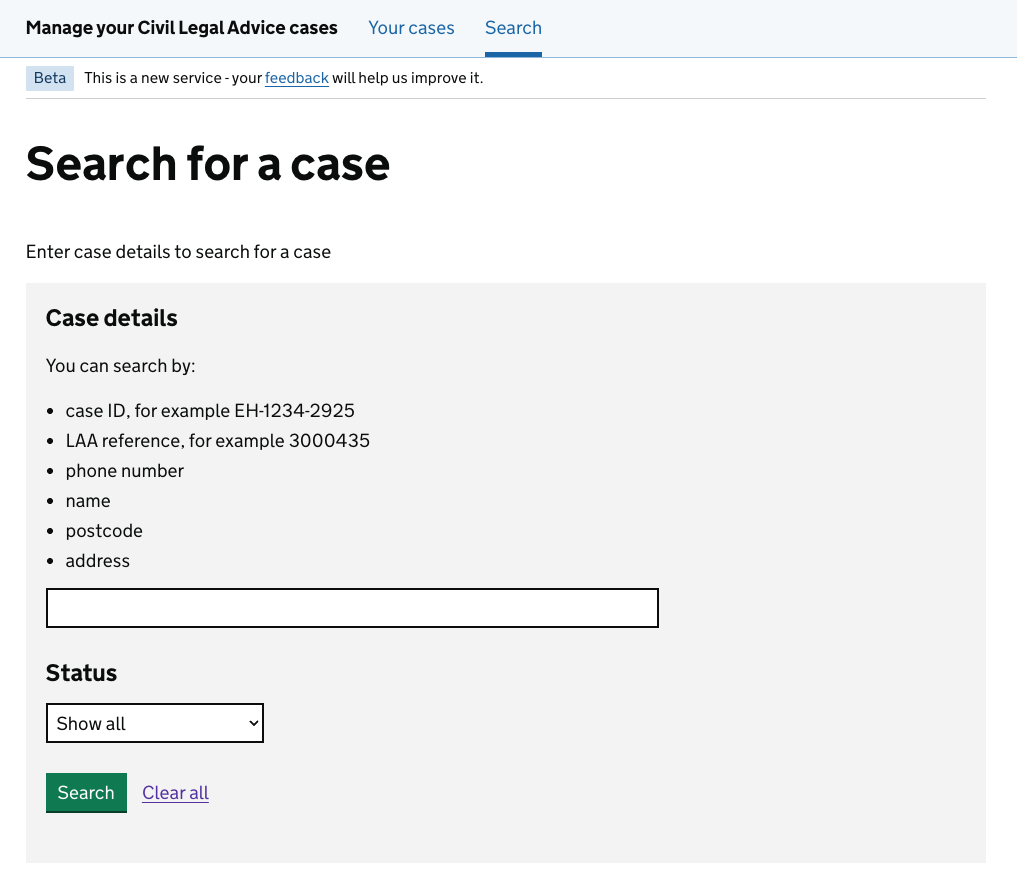
To search for a case, select Search from the navigation menu.
You can search using:
- case ID
- LAA reference
- phone number
- name
- postcode
- address
You can filter search results by status.
Case statuses (Back to top)
When you sign in to Manage your Civil Legal Advice cases, you can view the cases assigned to your organisation.
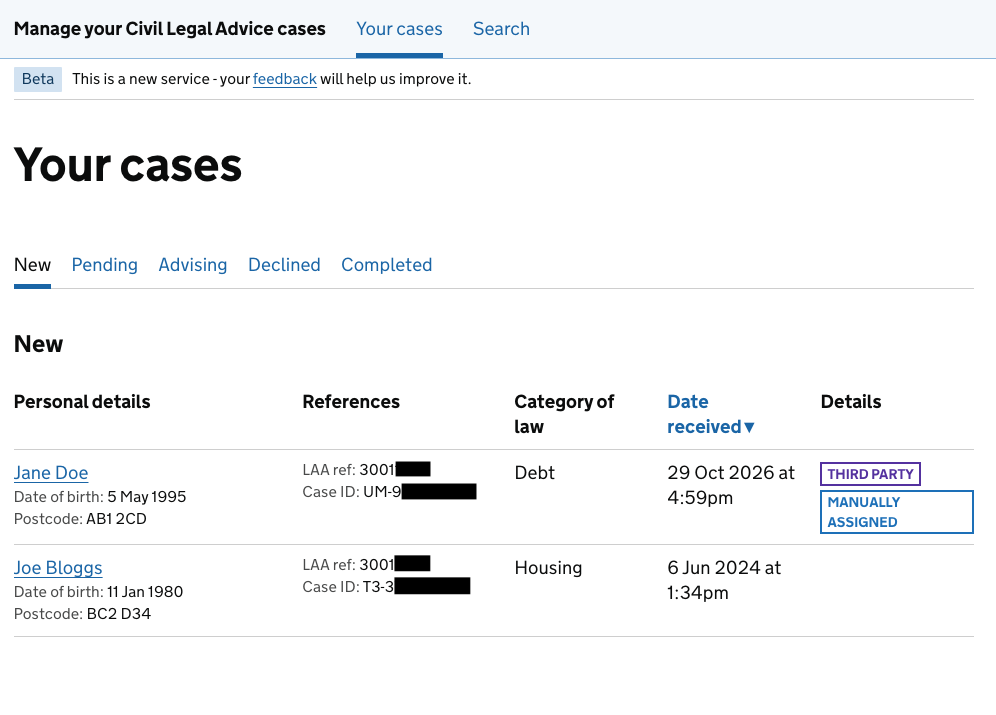
Cases are organised into tabs by status. A case’s status shows its current stage.

You can update the status as work progresses.
| Status | Description |
| New | The operator has assigned the case to your organisation. |
| Pending | You cannot progress the case immediately, for example while trying to contact the client or waiting for third party authorisation. |
| Advising | You’re actively providing advice to the client. |
| Declined | You’ve assessed the case and decided it is not eligible to proceed. |
| Completed | You’ve provided advice and no further action is needed. |
Completed and declined cases remain available for 3 years after they were last updated. Cases declined because they are duplicates are removed from your account.
Determination fee
Most declined cases may still be eligible for a determination fee if you have completed the required assessment. Duplicate cases are not eligible for a determination fee. Claims are subject to the Civil Legal Advice contract and reporting requirements.
Change a case status
Select Change status to move the case to a different status.
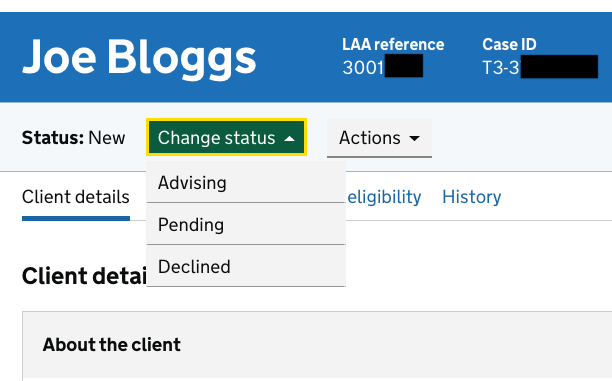
The change of status you can select depends on the current status of a case.
For example, a case with a status of Pending can only be changed to Advising or Declined. It cannot be changed back to New.
You can reopen a case with a status of Completed or Declined by changing its status. You’ll be asked to provide a reason.
Case flags (Back to top)
Each case shows key information, including the client’s details, reference numbers and any important case flags.
| Details flag | Description |
| Urgent | The operator has marked the case as urgent. Review the case as soon as possible. |
| At risk of abuse | The client is at risk of abuse. You or the operator can add this flag. This flag was previously called ‘Vulnerable’. |
| Second opinion | The operator selected ‘Second opinion’ because you need to review the client’s eligibility. |
| Manually assigned | The operator assigned the case directly to your organisation. This may be because the client has previously received advice from your organisation. |
| Third party | Someone is acting on behalf of the client. Third party details have been added to the case by you or the operator. This may be because: • the client is a child • the client is a protected party • someone has power of attorney for the client • the client cannot communicate without support • the client has authorised another person to act for them |
| Translation | The client needs translation support. This flag can be added by you or the operator. |
| Text relay | The client needs text relay support for phone calls. This flag can be added by you or the operator. |
| BSL | The client needs British Sign Language (BSL) support. This flag can be added by you or the operator. |