When creating a new application in CCMS you will have to search for a client. If a client is already registered on CCMS you can verify them with a partial postcode and use the existing record. This means you will only have to review the client record, rather than creating a new one.
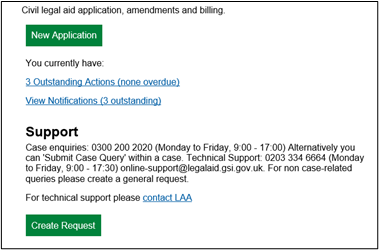
From the home screen click New Application.
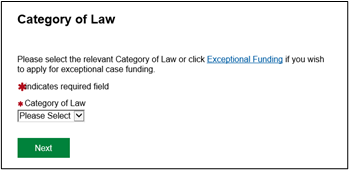
Select the Category of Law.
This drop-down list is determined by which contracts the office you are working from holds.
Now search for the client to check whether they have already been registered on CCMS.
Fill in the required fields and then click on the Search Button.
NOTE: You can add additional information to perform a more detailed search.
If the client has an existing record the details will appear in the Client Search Results table.
A client’s records should always be used if they already exist within the system.
Click Use this record.
The Client Confirmation page will be displayed.
Click Confirm.
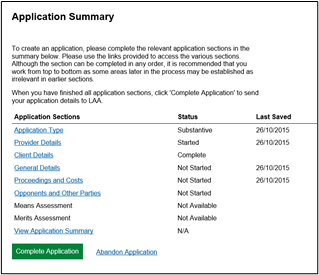
The Application Summary page will now be displayed.
To verify all the clients details are correct click the client details link.
Create the rest of the Application. For more information on how to do this please view the Making a Legal Aid Application guidance.